DEVELOPER GUIDE
A streamlined, high-velocity manual for launching your app. Follow these 4 simple steps to clear the 20-tester requirement.
1
Create App & Copy Email Group
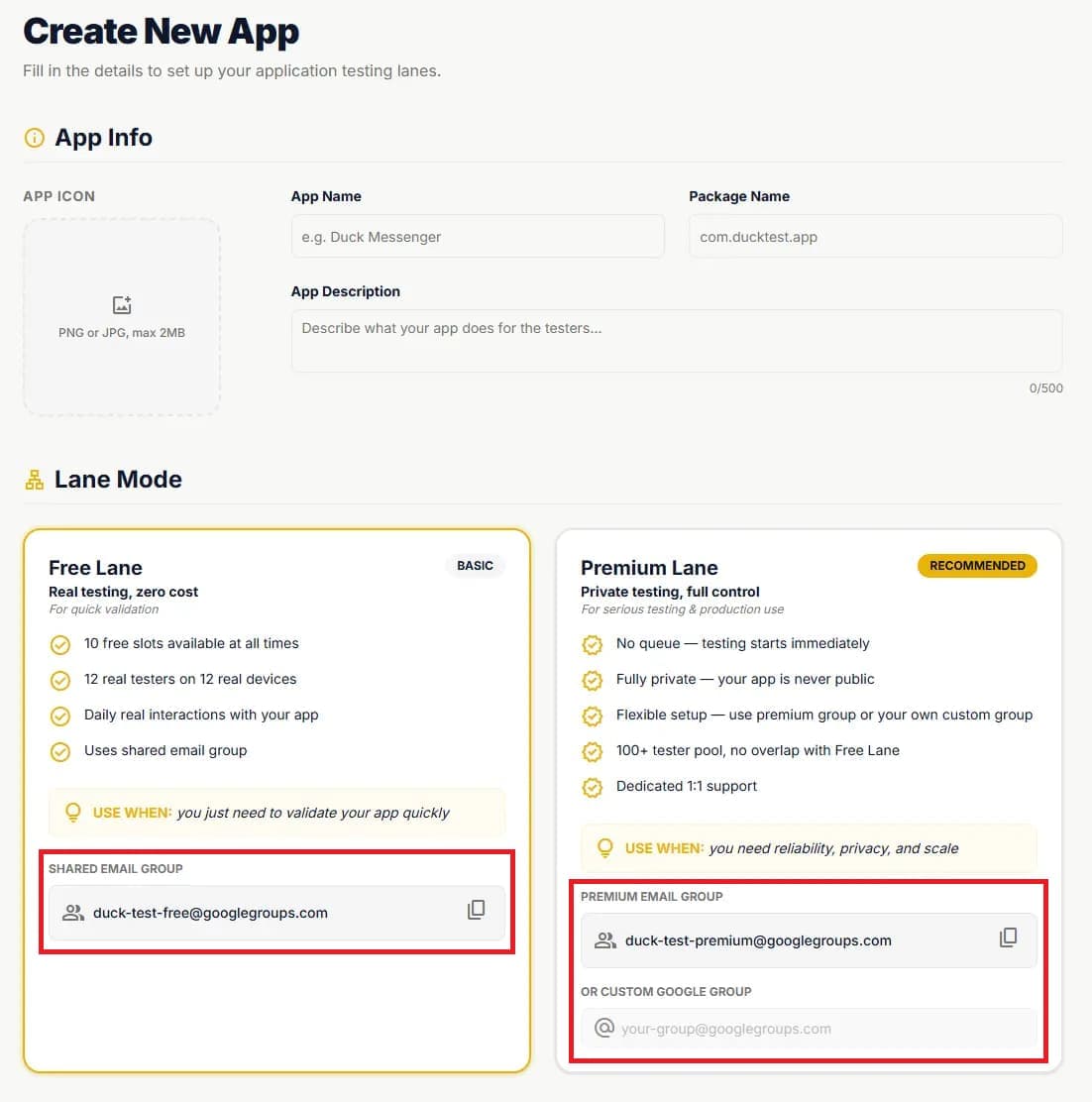
Begin by creating your application in the Duck Test dashboard. Select your preferred testing group type:
- Shared Group: Immediate access to communal tester pool.
- Premium Group: Exclusive dedicated accounts for your app.
- Custom Group: Integrate your own Google Group for full control.
2
Add Group to Closed Testing
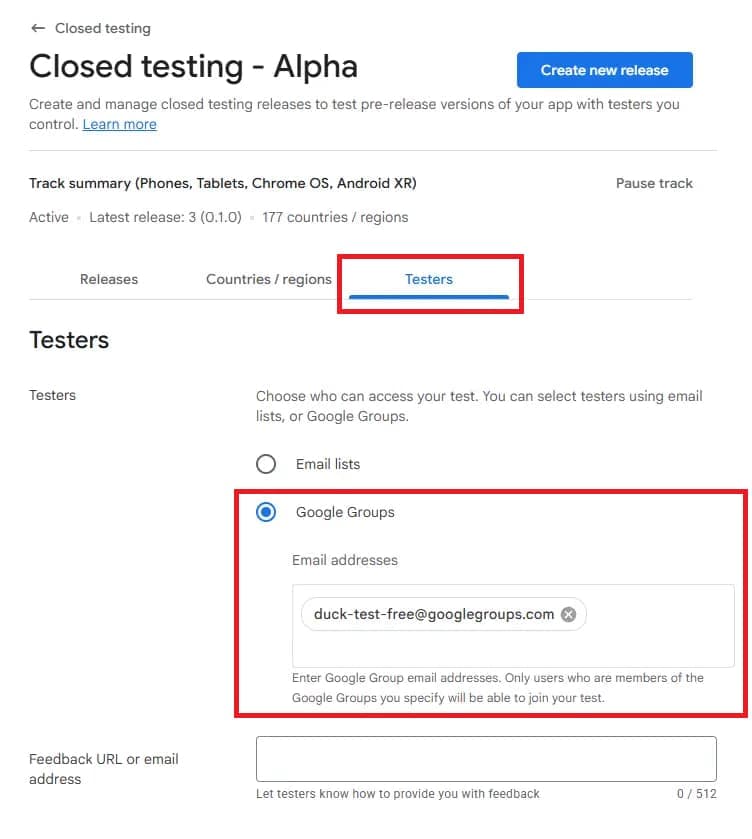
Go to your Google Play Console and follow these specific actions:
- check_circleNavigate to Release > Closed Testing
- check_circleSelect the Testers tab
- check_circlePaste the Duck Test email group address
3
Verify Opt-in Success
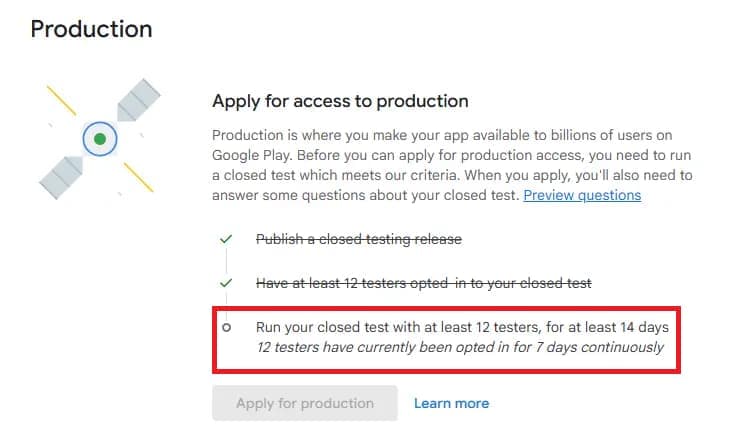
Monitor your progress in the Play Console feedback dashboard. Opt-ins typically finish within 24 hours.
Pro Tip: Duck Test handles verification handshakes automatically. You'll see the numbers rise as testers join.
4
Setup Custom Email Group
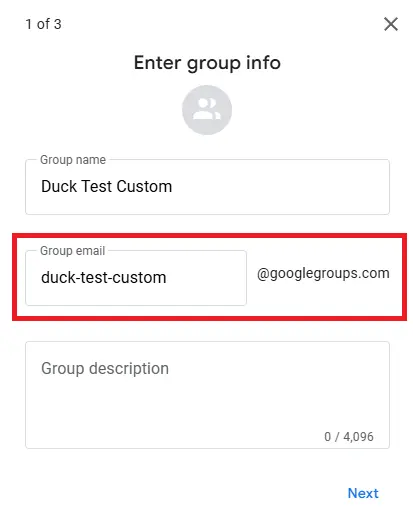
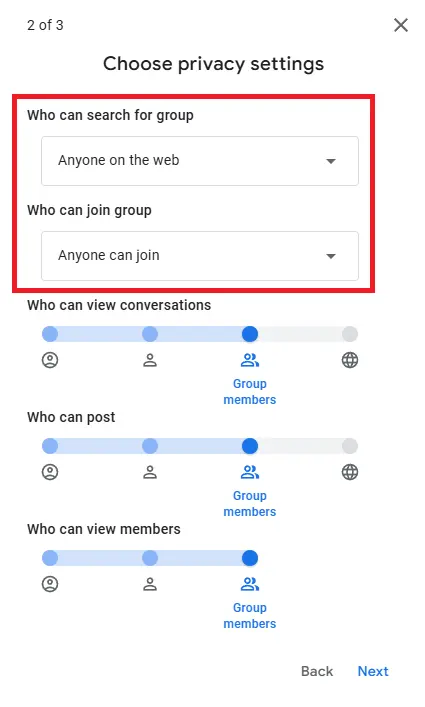
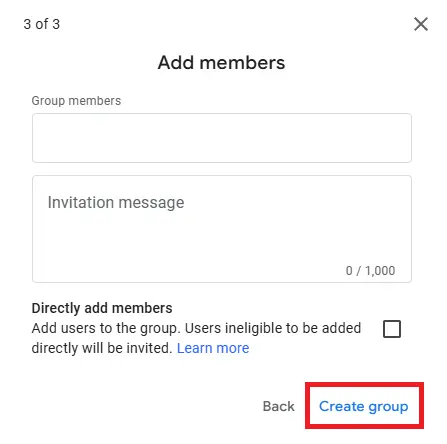
Want to manage your own private testing group? Create a Google Group first and then:
- Configure membership settings to allow external invites
- Anyone on the web can search
- Anyone can join
- Maintain full ownership of the tester list and access logs